It is considered that in Russia, a little innovation. Perhaps, this is difficult to argue. But there are exceptions to the rule, one of which was YotaPhone. The unique concept of a smartphone with a dual-screen is constantly being improved, we have the second generation. The main feature of novelty is that the second touch screen. Thus, in Russia have created the world's first smartphone with two touchscreens. And we have an opportunity to the world's first test detail YotaPhone 2, ready to share with you impressions.
Presentation YotaPhone 2: how it was
The second generation YotaPhone shown at the exhibition MWC in Barcelona, which was held in February 2014. If the first generation can rightly be considered the touchstone, the second generation has turned out quite different. Different design, advanced features, more possibilities for the second screen, which has now become a touch. Domestic development has collected many awards, which reflect the innovative nature of the device. YotaPhone awarded two exhibitions CES, MWC - it speaks for itself. Russian smartphone news regularly becomes a hero. He was honored to be present for the chairman of the People's Republic of China from the President of Russia. Not every electronic device falls possible.
 Unique to the world of smart phones machine with two screens presented in Moscow on December 2. The next day scheduled event in London, which will be devoted to the start of the global smartphone sales. By the way, preorders for the device began to take on 19 November, the first night there was about 3,000 who want to buy a smartphone.
Used for the production capacity of Singapore's Hi-P, which is known for the production of devices for Blackberry. One of the factories located in China, its capacity is sufficient for the release of 450 thousand per month smartphones. The initial batch of 150 thousand vehicles has the potential to be rapidly sold out. Given the interest in the smartphone in the same China, where the volume of the market looks very promising for each manufacturer, YotaPhone be called original alternative formats smartphones bored.
Unique to the world of smart phones machine with two screens presented in Moscow on December 2. The next day scheduled event in London, which will be devoted to the start of the global smartphone sales. By the way, preorders for the device began to take on 19 November, the first night there was about 3,000 who want to buy a smartphone.
Used for the production capacity of Singapore's Hi-P, which is known for the production of devices for Blackberry. One of the factories located in China, its capacity is sufficient for the release of 450 thousand per month smartphones. The initial batch of 150 thousand vehicles has the potential to be rapidly sold out. Given the interest in the smartphone in the same China, where the volume of the market looks very promising for each manufacturer, YotaPhone be called original alternative formats smartphones bored.
It is considered that in Russia, a little innovation. Perhaps, this is difficult to argue. But there are exceptions to the rule, one of which was YotaPhone. The unique concept of a smartphone with a dual-screen is constantly being improved, we have the second generation. The main feature of novelty is that the second touch screen. Thus, in Russia have created the world's first smartphone with two touchscreens. And we have an opportunity to the world's first test detail YotaPhone 2, ready to share with you impressions.
Presentation YotaPhone 2: how it was
Presentation YotaPhone 2: how it was
TECHNICAL CHARACTERISTICS
VIDEO
DESIGN AND ERGONOMICS
YotaPhone second generation has a more attractive appearance. There's even difficult to draw a connection between last year's smartphone - so much they differ. Perhaps nothing more than the presence of the second screen them and not binding, the model looks new, original, attractive.
 The smartphone is perceived quite differently. Now it is not unusual brick with a beveled surface. Instead, come round shape body, which invariably affected not only the usability, but also on the shape of the model. It looks more modern, but if you look at its curved back, if not you can be surprised ingenuity of designers.
To come up with something new, but retain a comfortable size and offer two screens at once - it's really a great idea.
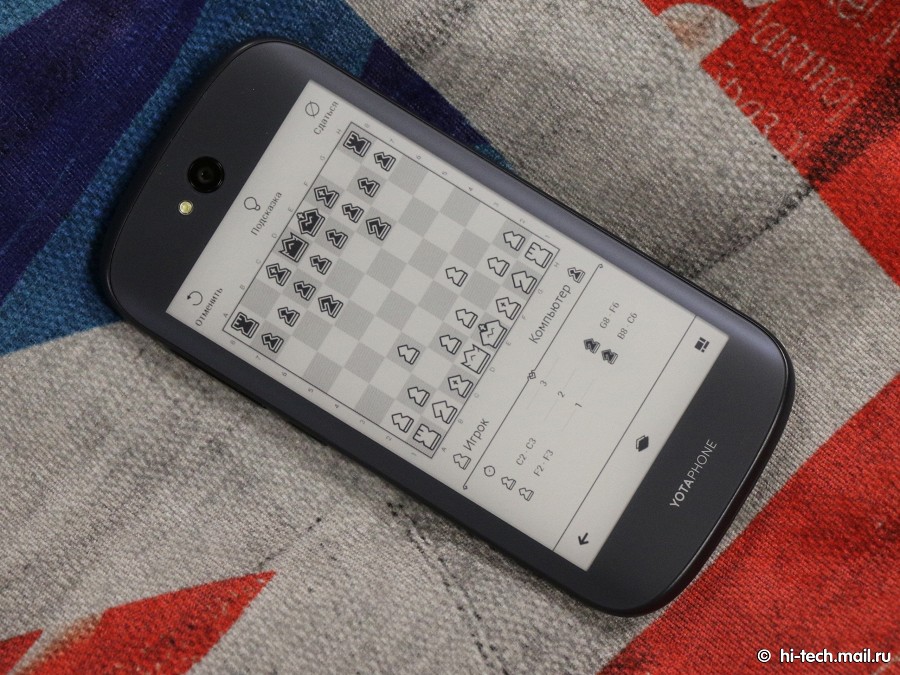 Body size remind series smartphones Nexus, the model is comparable to the 5th generation, only a little more pulled up. The smartphone is not thick and heavy, for mass-dimensional parameters is comparable with their classmates. This model is ideal for those who want to get a reasonable compromise between the size of the display and practical dimensions.
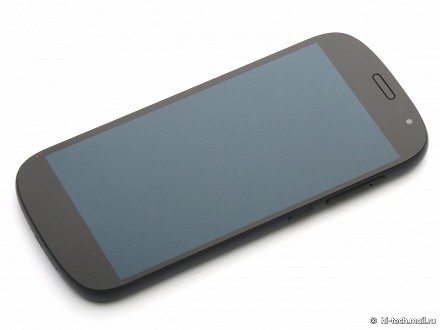
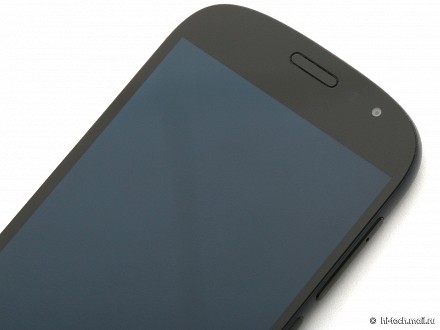
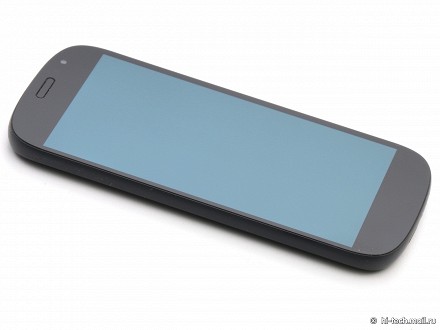 The front panel is significantly reduced the frame around the screen. Although they are not the lowest, as in some Chinese or Korean smartphone, but at the same time YotaPhone 2 looks modern and attractive compared to other devices. This is important because the predecessor of many perceived as something outdated and certainly not fashionable. There is no such, the smartphone can be safely put on the table next to other relevant devices.
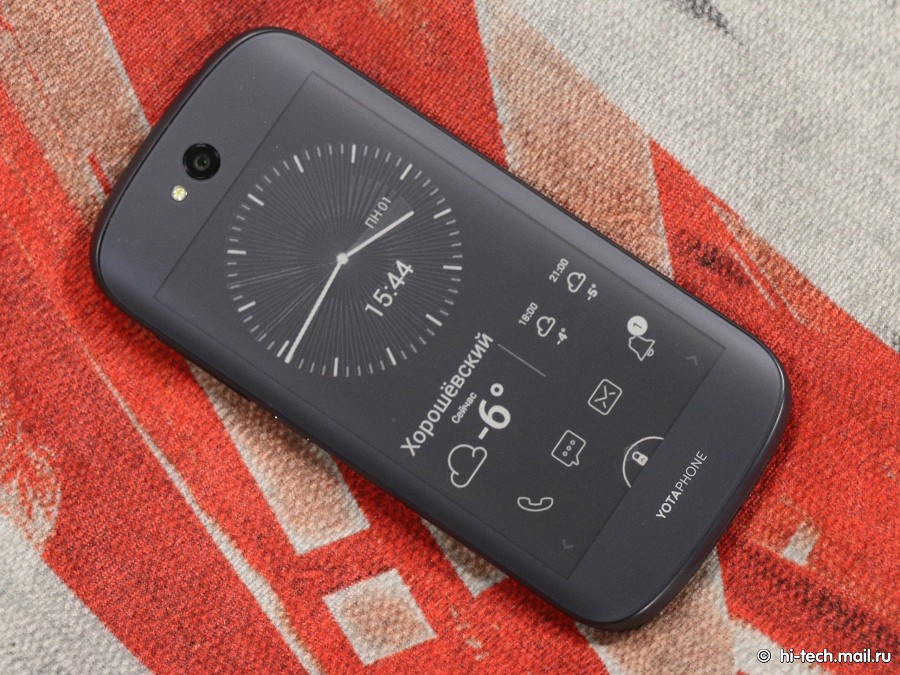
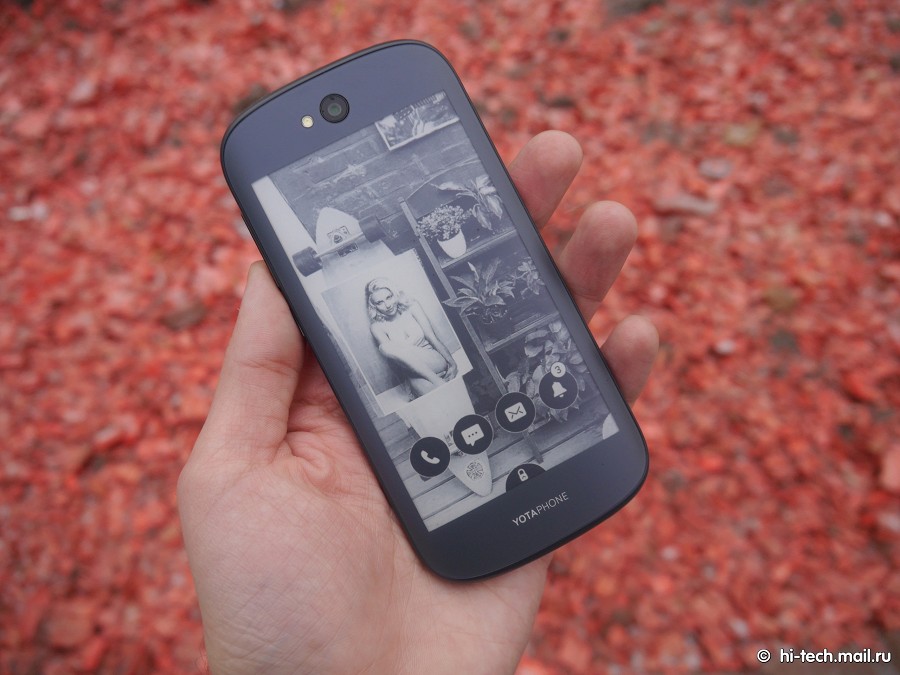
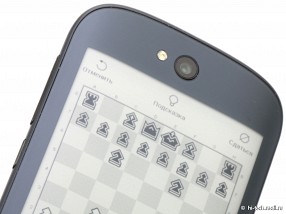
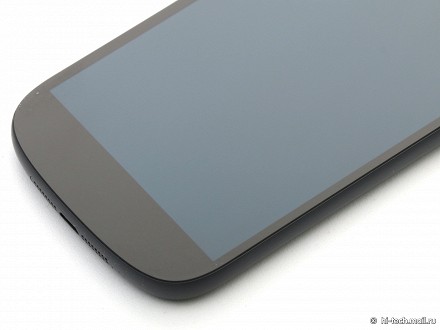 The frame is made from a dark matte plastic, the front and back of the phone - glass Gorilla Glass 3. Moreover, the rear surface - curved, and glass, in turn, follows the contours of the body. By the way, considering the phone, you will notice that the model name is shown in this part of the device. Apparently the manufacturer suggests that the most attention should be paid namely E-Ink display.
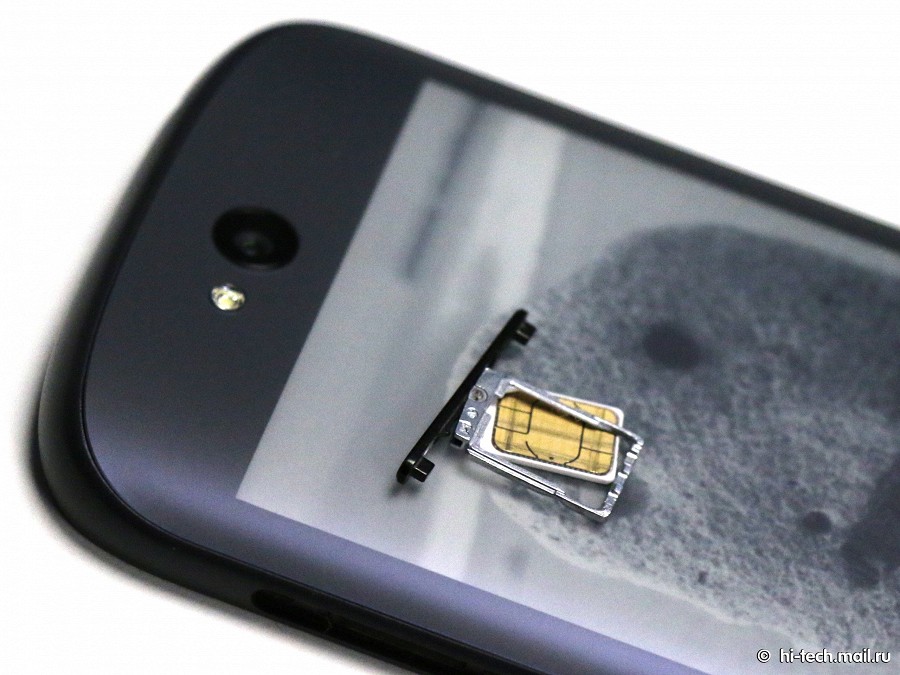
 However, the earpiece is a color screen. Immediately chamber and present a set of sensors. Volume keys and lock screen rendered on the right side of your smartphone. Slot nanoSIM inscribed in volume rocker. Unusual idea - managed to combine two elements in one piece.
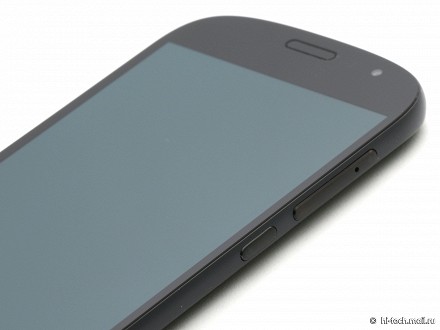
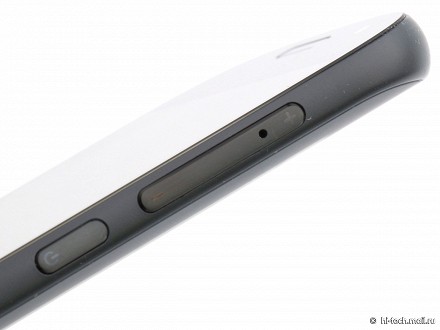
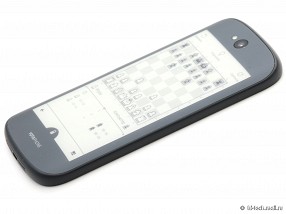
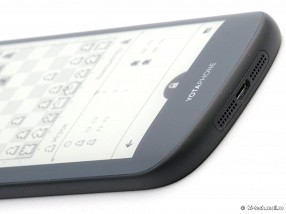 Monolithic body smartphone collected qualitatively, no hint of backlash or scratches, made to last. Given that the body is pulled up, pulling the curtain, holding the phone with one hand, it will be inconvenient. However, typing, the keyboard will work comfortably and without the help of the second hand, as smartphone is not very wide.
SCREEN
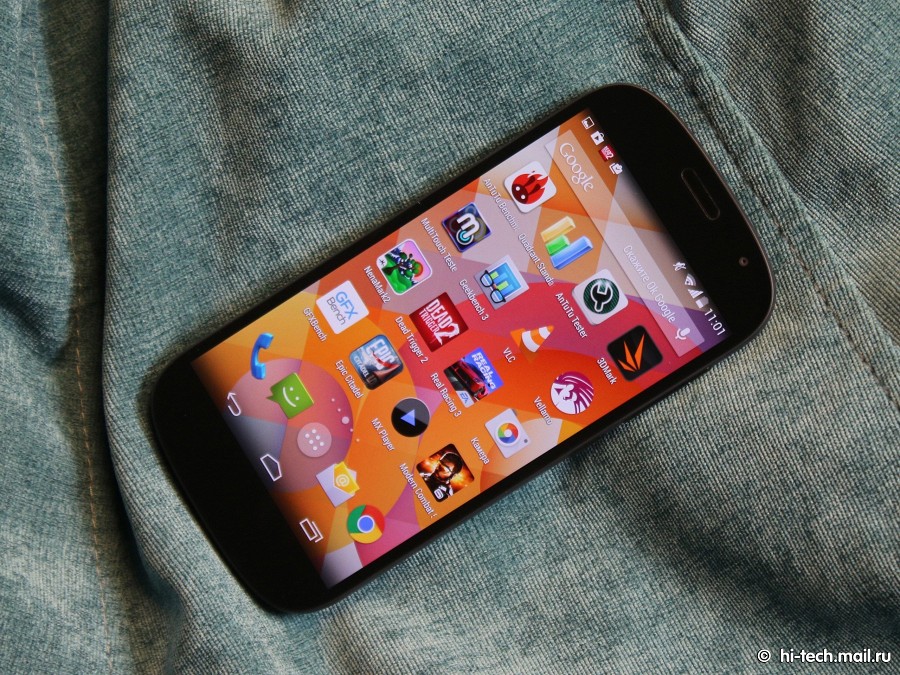
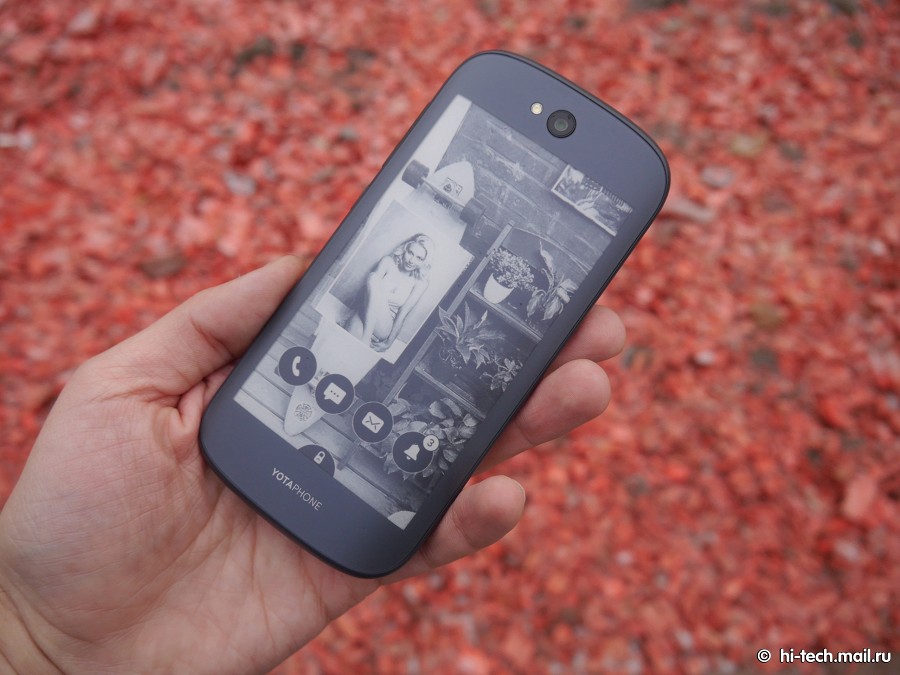
The front panel is a 5-inch Super AMOLED-display. Used panel from Samsung with a resolution of 1080x1920 pixels. There is a proximity sensor, a sensor for automatic brightness control. The second display - curved, which in itself becomes an interesting EPD-quality screen with a resolution 460h960 points, diagonal of 4.7 ''.Both screens are closed glass Gorilla Glass 3.
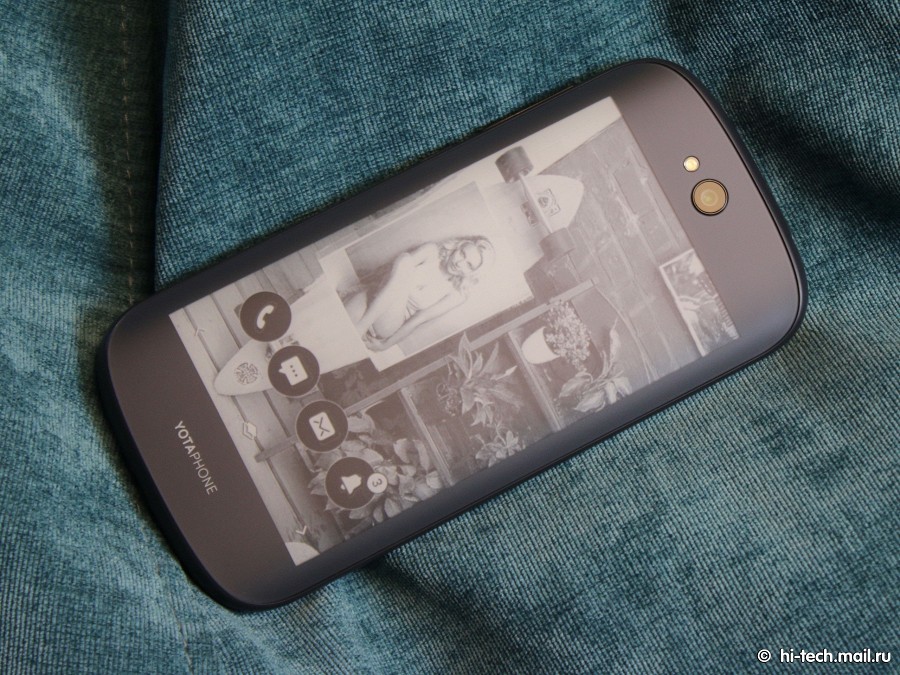 Surface oleophobic coating present sensor adjust the brightness. Check the behavior of the smartphone in the sun due to cloudy weather was not possible. Subjectively the display is comparable to what is in the Samsung GALAXY S4, but no additional YotaPhone 2 color profiles for fine-tuning.
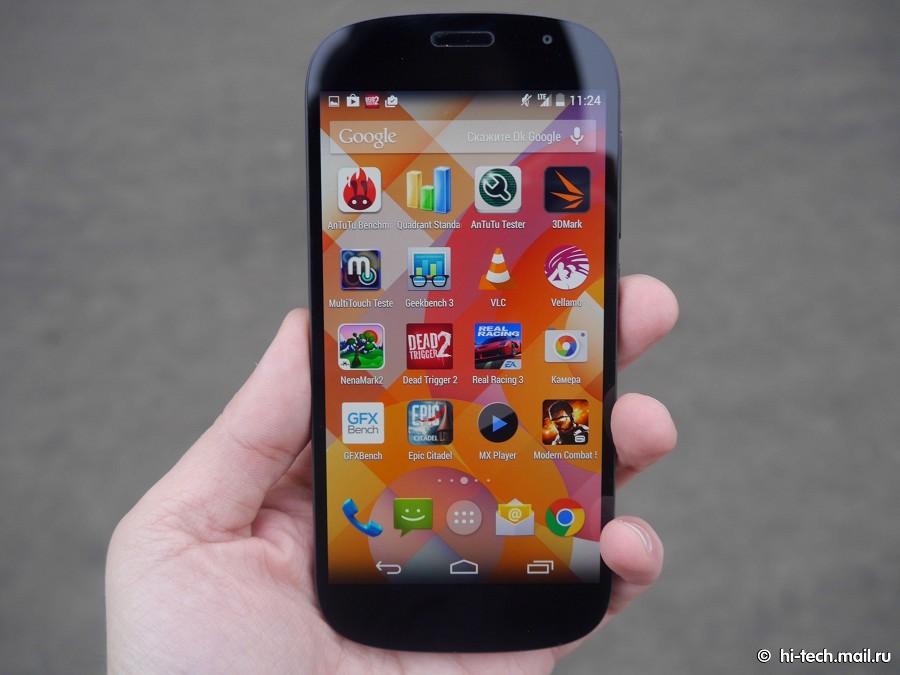
Detailed testing screens spent our expert Mikhail Kuznetsov:
YotaPhone 2 - the second and more "adult" generation smartphone, rich screens. As the main display panel supports color AMOLED (5-inch, 1920x1080) Production Samsung. As an additional screen on the back of used black and white E-Ink (4,7 inch, 960x540). At this time, the tandem thought a lot better execution was a success: two screens do not affect the overall thickness of the device, and the scope quite thin.
The maximum brightness of the main screen AMOLED was 327 cd / m 2 (on a white filling the entire screen).Keep in mind that the brightness depends on the content on the screen, if the white color is not more than 50 area%, the brightness increases to 360 cd / m 2 . In most cases, this is enough, because AMOLED provides an enviable contrast, so the image has a good depth and clarity. However, there are other features: Smartphone YotaPhone 2 uses a non-standard substrate AMOLED-matrix of graphite, so the screen a little differently interacts with the external light when compared with smartphones Samsung.At a certain angle of the screen substrate YotaPhone 2 gives a "metallic" bluish tint and glare. Accordingly, its anti-reflective properties of a little smaller than what we are used to seeing on the AMOLED. But viewing angles are excellent, colors practically not affected.
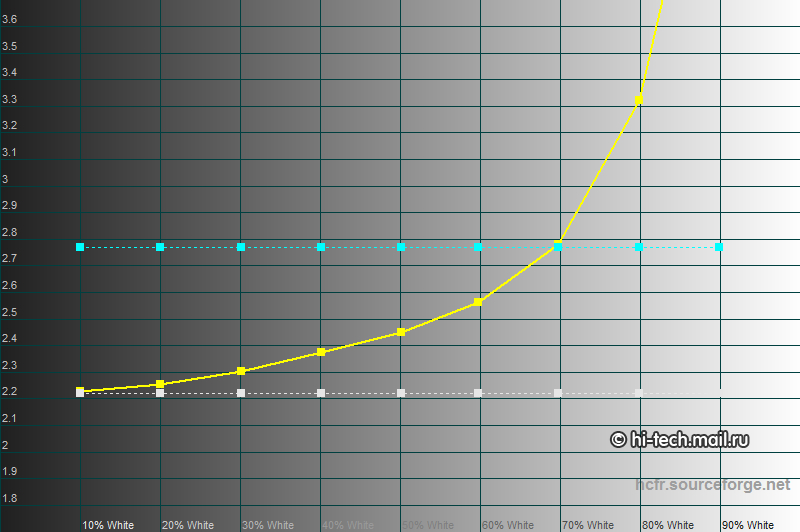 The average range is difficult to assess because of the dynamic brightness AMOLED. Here, we get a value in the range 2.4-2.8 regardless of the templates. However, visual assessment shows that in real images blockages brightness is observed.
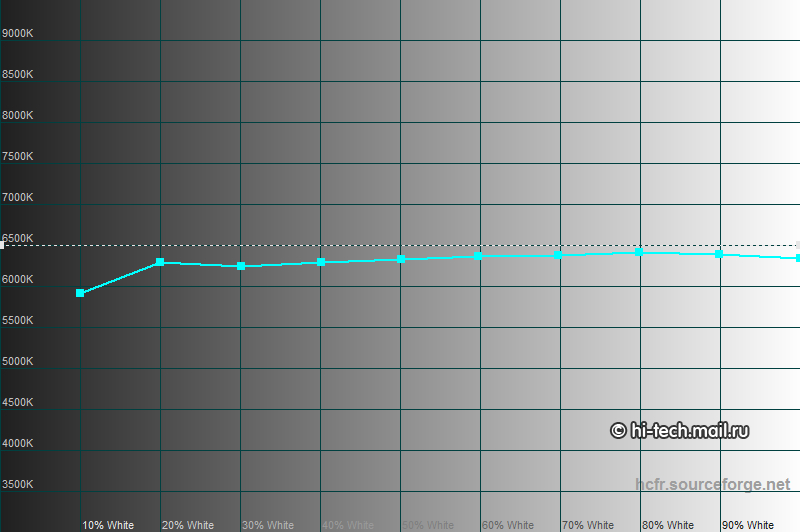 The average color temperature - about 6300K.
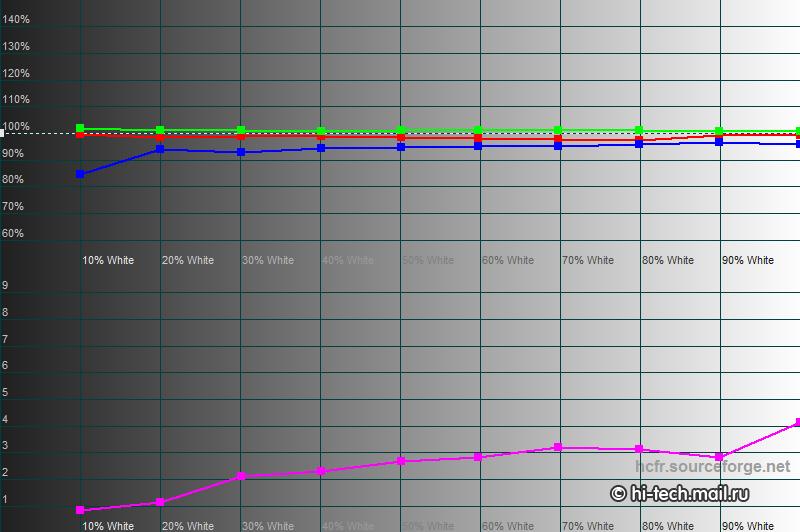 Color balance is evenly distributed. Deviations really small, the average Delta E error on gray scale was only 2.51. Here factory setting did not disappoint, weak greenish impurity in most cases, is not evident.
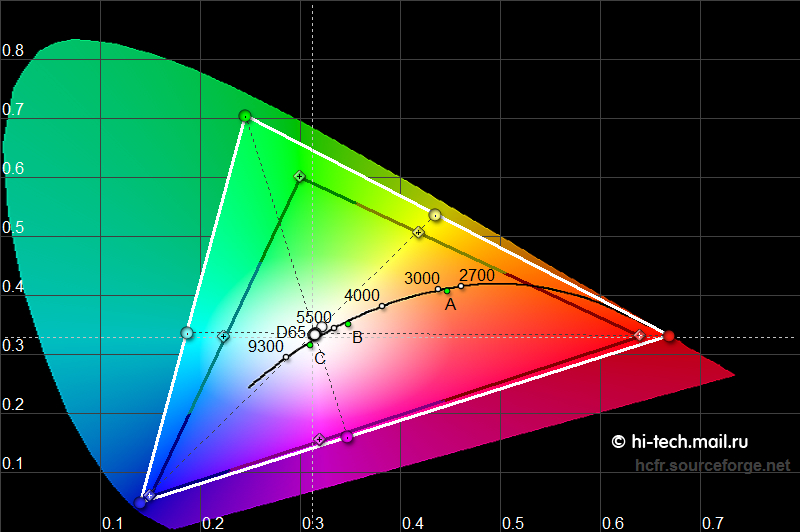 Color gamut - the "native" for AMOLED, ie, very wide. He is noticeably superior to the standard sRGB, so the colors on the screen look more vivid. This increases the distortion effect of someone like, someone - no.
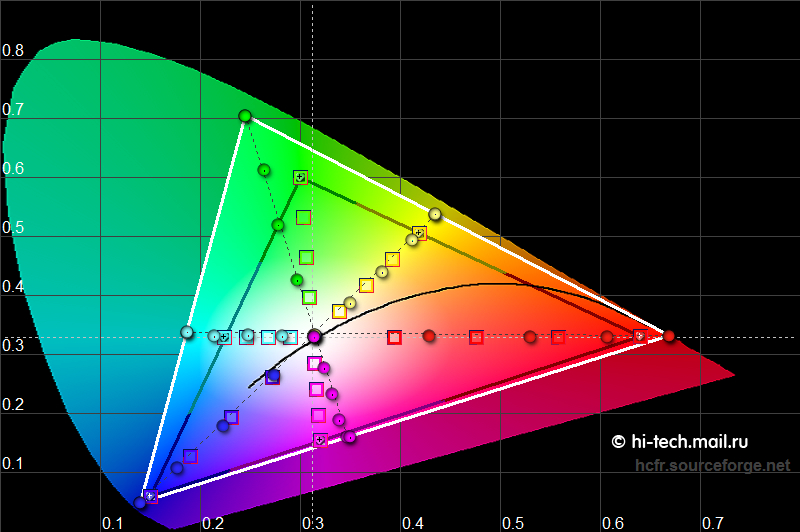 Color evenly gaining depth, it has a positive effect on perception.
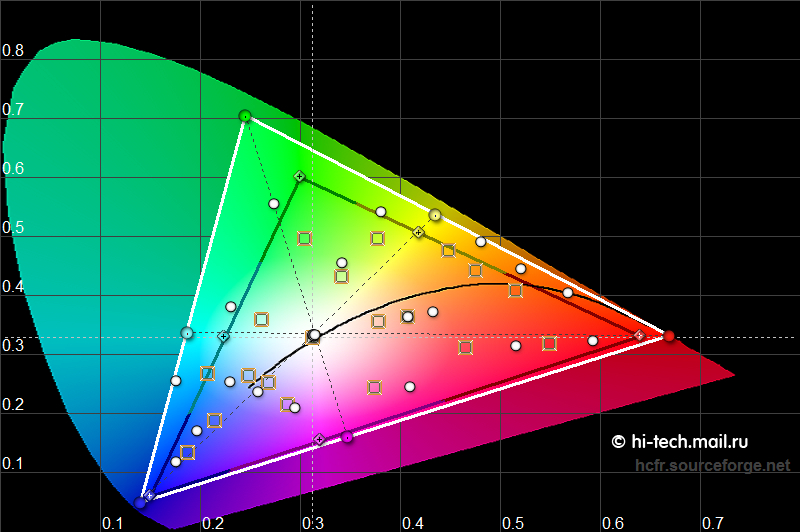 Evaluation of 24 templates ColorChecker color gives an average error in the Delta E value of 4.32.Distortion of natural colors remained within reasonable limits, despite the non-standard color gamut. This is an acceptable result, but it would be even better if Yota Devices introduced to color profiles in the image of Samsung and Nokia. At least, the standard sRGB profile is not exactly hurt.
Summing up, it should be noted that the screen YotaPhone 2 left a positive impression. There are need to work on scale and color profiles, but even in its present form it looks very bad. This is facilitated by the usual advantages of AMOLED technology in the form of high contrast and wide viewing angles, and even the color balance. Perhaps the use of the display module from Samsung went only benefit. Rich palette of colors will not please everyone, and yet, smartphone YotaPhone 2 deserves good marks for the quality of the main screen. Still, not every day you meet domestic gadget that level.
Evaluation of 24 templates ColorChecker color gives an average error in the Delta E value of 4.32.Distortion of natural colors remained within reasonable limits, despite the non-standard color gamut. This is an acceptable result, but it would be even better if Yota Devices introduced to color profiles in the image of Samsung and Nokia. At least, the standard sRGB profile is not exactly hurt.
Summing up, it should be noted that the screen YotaPhone 2 left a positive impression. There are need to work on scale and color profiles, but even in its present form it looks very bad. This is facilitated by the usual advantages of AMOLED technology in the form of high contrast and wide viewing angles, and even the color balance. Perhaps the use of the display module from Samsung went only benefit. Rich palette of colors will not please everyone, and yet, smartphone YotaPhone 2 deserves good marks for the quality of the main screen. Still, not every day you meet domestic gadget that level.
Detailed testing screens spent our expert Mikhail Kuznetsov:
YotaPhone 2 - the second and more "adult" generation smartphone, rich screens. As the main display panel supports color AMOLED (5-inch, 1920x1080) Production Samsung. As an additional screen on the back of used black and white E-Ink (4,7 inch, 960x540). At this time, the tandem thought a lot better execution was a success: two screens do not affect the overall thickness of the device, and the scope quite thin.
The maximum brightness of the main screen AMOLED was 327 cd / m 2 (on a white filling the entire screen).Keep in mind that the brightness depends on the content on the screen, if the white color is not more than 50 area%, the brightness increases to 360 cd / m 2 . In most cases, this is enough, because AMOLED provides an enviable contrast, so the image has a good depth and clarity. However, there are other features: Smartphone YotaPhone 2 uses a non-standard substrate AMOLED-matrix of graphite, so the screen a little differently interacts with the external light when compared with smartphones Samsung.At a certain angle of the screen substrate YotaPhone 2 gives a "metallic" bluish tint and glare. Accordingly, its anti-reflective properties of a little smaller than what we are used to seeing on the AMOLED. But viewing angles are excellent, colors practically not affected.
The average range is difficult to assess because of the dynamic brightness AMOLED. Here, we get a value in the range 2.4-2.8 regardless of the templates. However, visual assessment shows that in real images blockages brightness is observed.
The average color temperature - about 6300K.
Color balance is evenly distributed. Deviations really small, the average Delta E error on gray scale was only 2.51. Here factory setting did not disappoint, weak greenish impurity in most cases, is not evident.
Color gamut - the "native" for AMOLED, ie, very wide. He is noticeably superior to the standard sRGB, so the colors on the screen look more vivid. This increases the distortion effect of someone like, someone - no.
Color evenly gaining depth, it has a positive effect on perception.
Evaluation of 24 templates ColorChecker color gives an average error in the Delta E value of 4.32.Distortion of natural colors remained within reasonable limits, despite the non-standard color gamut. This is an acceptable result, but it would be even better if Yota Devices introduced to color profiles in the image of Samsung and Nokia. At least, the standard sRGB profile is not exactly hurt.
Summing up, it should be noted that the screen YotaPhone 2 left a positive impression. There are need to work on scale and color profiles, but even in its present form it looks very bad. This is facilitated by the usual advantages of AMOLED technology in the form of high contrast and wide viewing angles, and even the color balance. Perhaps the use of the display module from Samsung went only benefit. Rich palette of colors will not please everyone, and yet, smartphone YotaPhone 2 deserves good marks for the quality of the main screen. Still, not every day you meet domestic gadget that level.
BENCHMARKS AND PERFORMANCE
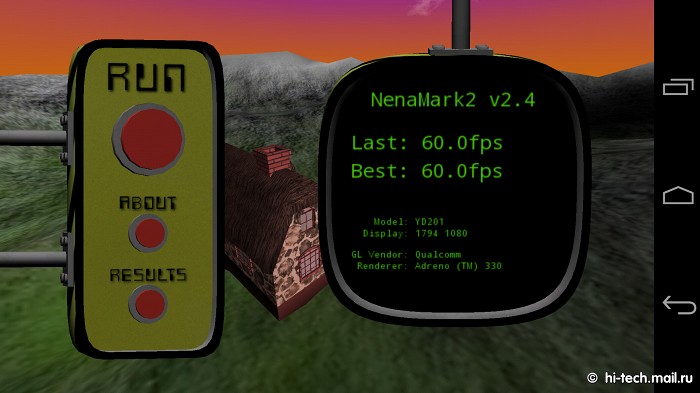
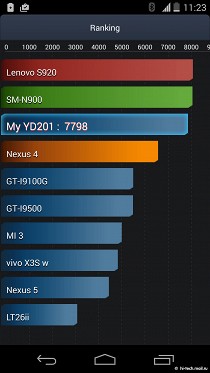
By filling YotaPhone 2 is comparable with the flagship of the last year: 2 GB of RAM, Qualcomm Snapdragon 800 with 2.2 GHz and 4 cores, graphics Adreno 330. Fans of benchmarks is unlikely to impress, but performance smartphone enough for any task, with a load of different modes model copes without any problems.
On speed device is no different from the top-level model, however, the menu for unknown reasons, there may be slight delays. It is expected that in the future smartphone upgrade to Android 5.0.
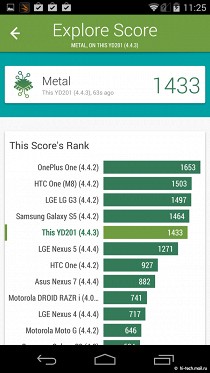
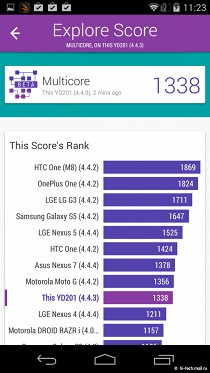
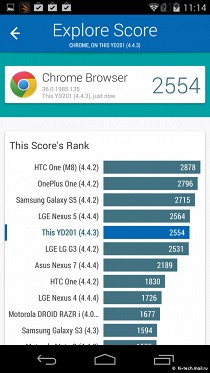
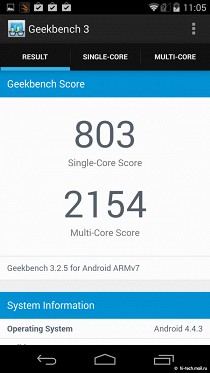
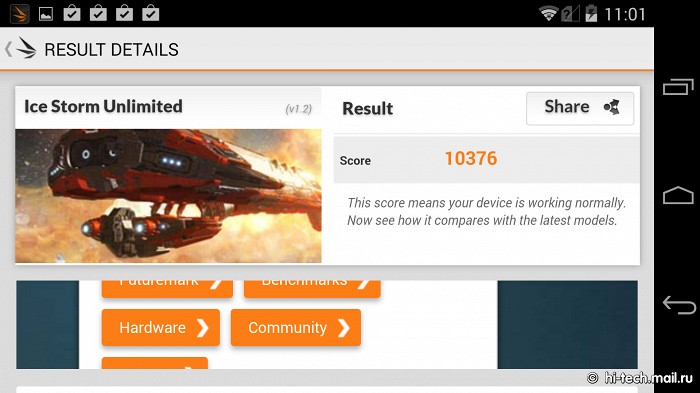
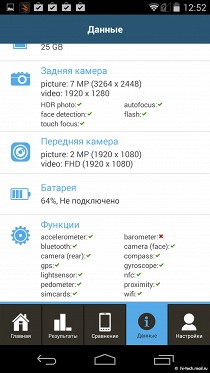
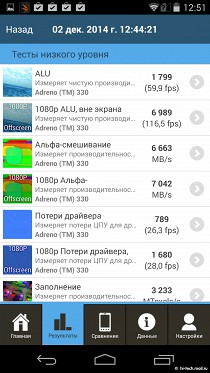
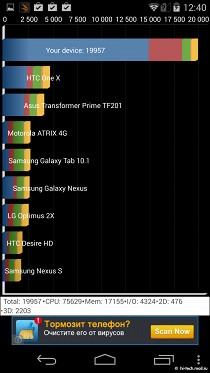
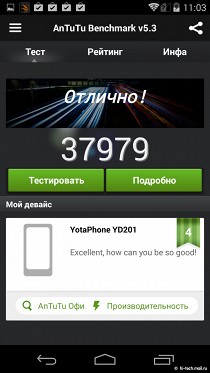
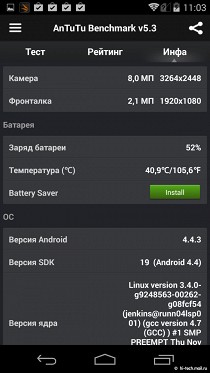
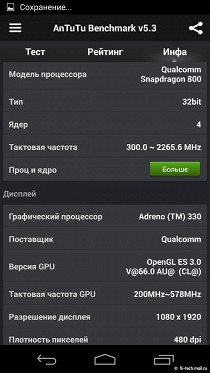
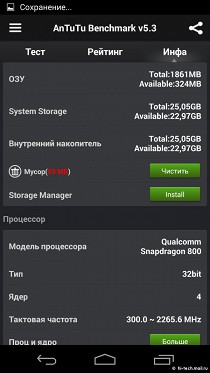
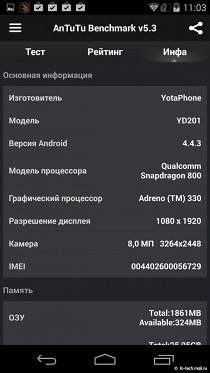
 Internal memory 32 GB memory card slot is not here, as in the previous model. The smartphone offers a full range of communication modules. There is support for GPS and GLONASS, NFC, Bluetooth 4.0.
Used for communication nanoSIM, which is placed in the cleverly positioned slot, combined with the volume keys.
OPERATION TIME
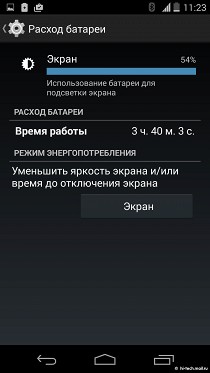
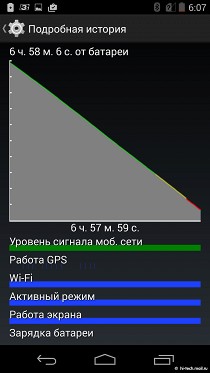
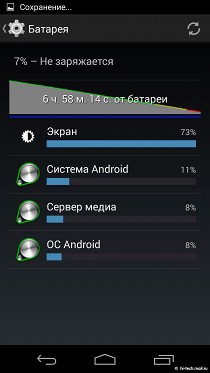
Battery replaceable in the smartphone, its capacity - 2500 mAh, which is considerably more than its predecessor. Considering that there should AMOLED-display, well known for its energy efficiency, it is logical to expect high performance. Indeed, during playback of Full HD-video at maximum brightness smartphone worked almost 7 hours playing HD-video to get 10 hours. In a typical mixed-mode, you can get about 1.5-2 days of work.
If you actively use black-and-white display, then leave already noticeably larger - 3-4 days. There is noticeable progress in comparison with the first generation smartphone, which runs noticeably less.
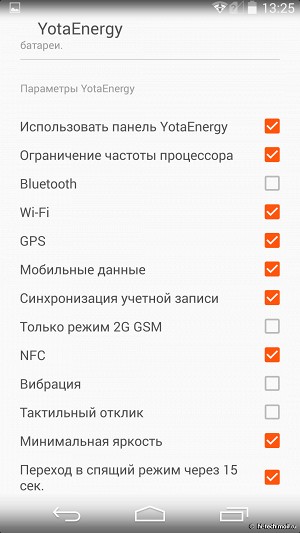
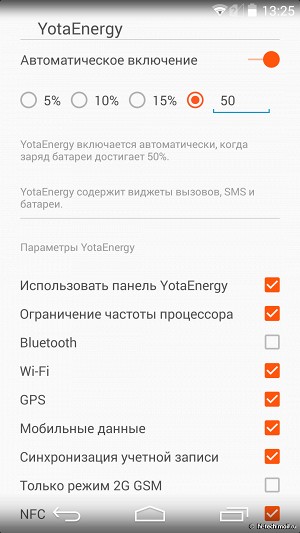
Now there is no problem with autonomy, YotaPhone 2 get rid of this problem. Additionally, the power saving mode is activated, which will help to increase the autonomy. For example, it is possible to disable the wireless profiles, fine-tune the application, and if necessary, a color screen can be turned off at all. Do not be amiss to mention the fact that the smartphone is equipped with a wireless charger that is compatible with Qi-standard, so you can safely use it in tandem with the phone compatible accessories.
INTERFACE
The smartphone is no additional shell, inside the "naked» Android 4.4.2. Here back touch buttons inscribed in the interface. Previously, they were not, users first YotaPhone had to press the touch area below the screen.Now manage it makes it easier and more comfortable. Not a bad idea - the creation of the original locking system. Smartphone remembers what man hand holding a smartphone which way the screen is rotated.Accordingly, keystroke activates the previously involved only display that eliminates false positives.
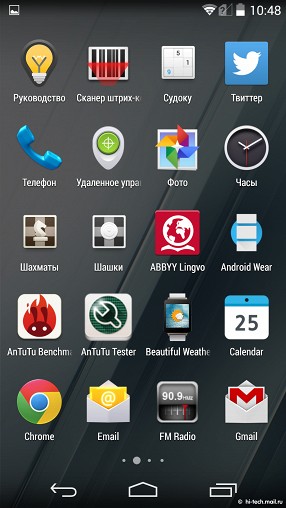
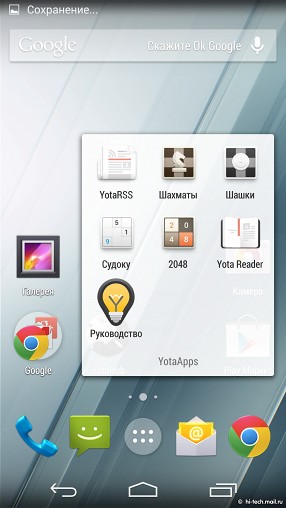
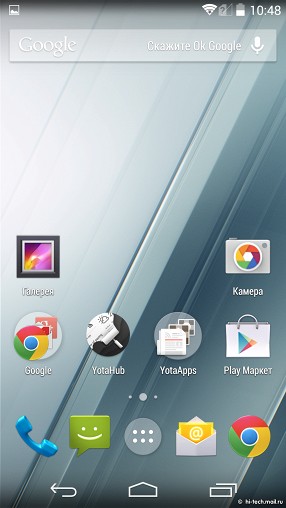
The menu includes a special section with a program that allows you to unlock the potential of the second screen.
For developers, there is a set of SDK, so third-party software to help in the work. If before the second screen could not play the role of primary, rather acting as a useful complement, but now the situation has changed.For example, you can switch to it from the menu, and manage smartphone. You can navigate between applications, run programs. In general, no difference from the usual scenario with the main display except that before contact black and white screen. Naturally, such an opportunity to dramatically change the attitude to the smartphone, is now available to many more functions and methods to assess the practical benefits of a second display in the smartphone. He did not fade in the sun, his maximum viewing angles - this will greatly help in the summer or on vacation in a hot country.
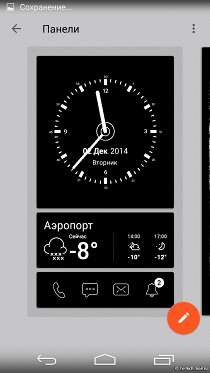
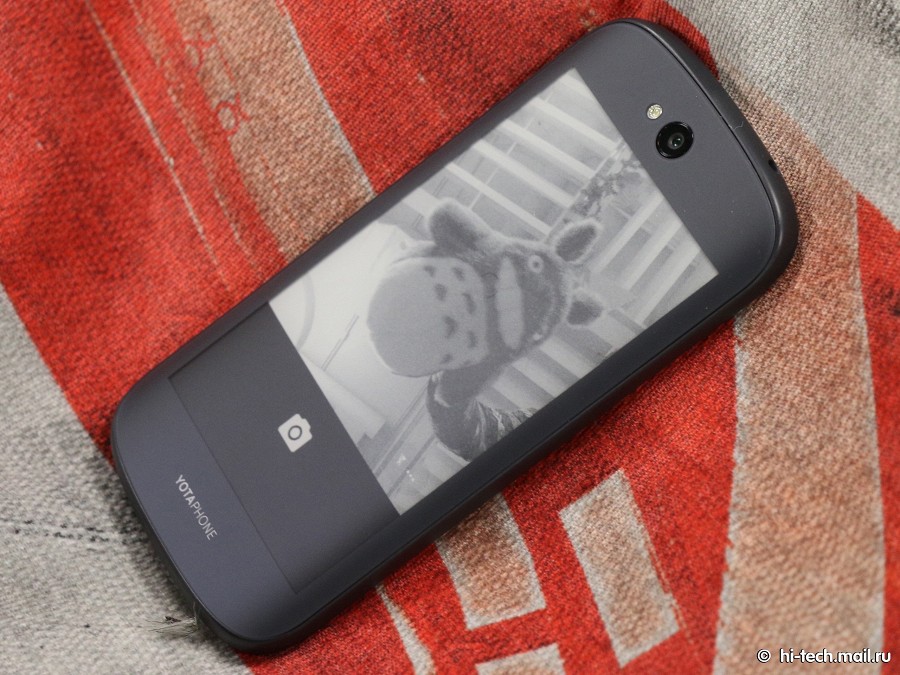
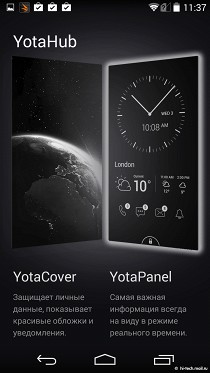 As before, the black-and-white display, you can make a screenshot of the main display. However, now you can work with the screen fully. For example, if earlier only adds to the picture of the place where it was necessary to pass, it is now on the second screen, you can fully work with the cards. Therefore it is possible to drive the address or do it through voice control to immediately get directions using only the secondary display. While taking into account the capabilities of the smartphone so called E-Ink screen has incorrectly, it could play a role as the main exception of some circumstances - for example, you can not use it to take pictures, the camera lens is only displayed on the color screen.
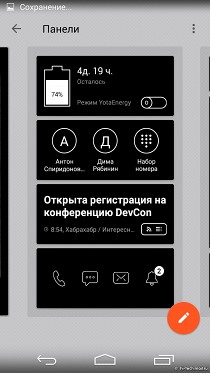
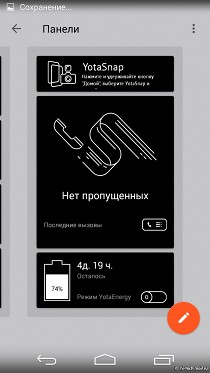
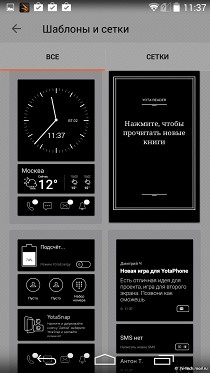
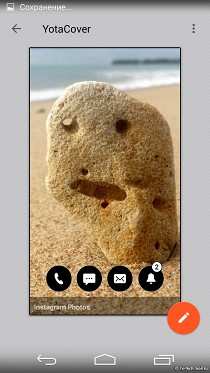
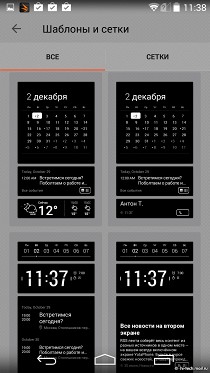 As before, in the E-Ink display smartphone displays notifications. New mail, SMS-ki and calls will be displayed as a view of the contents, and just as numbers that show how many new events go unnoticed. In the setting of the smartphone, you can select a background image to a second display by choosing from ready or download it from social networks, for example, from Instagram. Also here is easy to set and panels with notifications that are located in this area. The user selects interesting for myself events (calls, messages, e-mail, calendar and other PIM features), sets the format of the data displayed. It is important that there is not any single version of the design, and several panels are set, allowing more precise fit for your smartphone tasks.
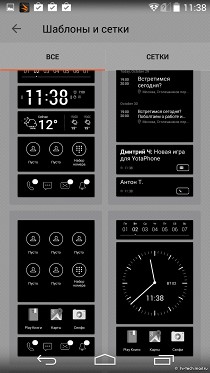
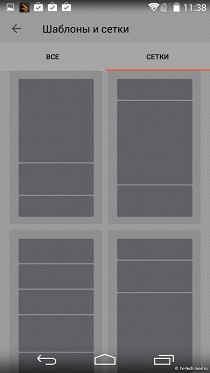
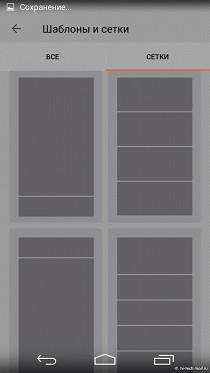
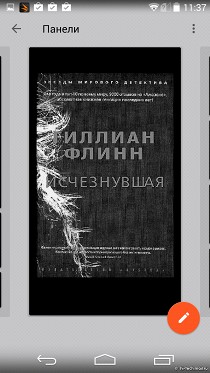
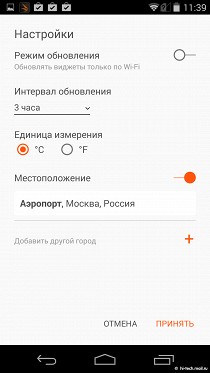 EPD-screen is great for reading. The smartphone is installed firmware application to search for literature, adapted to the sub-screen. I would like to in the future, and third-party programs with the same features can be used for this purpose. Of course, they can be run with a color screen, switch to black and white, but additional panels for Moon Reader or Google Books here obviously would not have been superfluous. Yet to switch to third-party applications require more additional steps. Provided entertainment: on the second screen, you can play chess or Sudoku. If you wish, you can even start the game and bring it to the color screen to black and white.
CAMERA
Lens is in the usual place for a smartphone, it is located at the top of the rear panel. It is worth remembering that in the first YotaPhone it was located at the bottom, so use the device for shooting was uncomfortable.
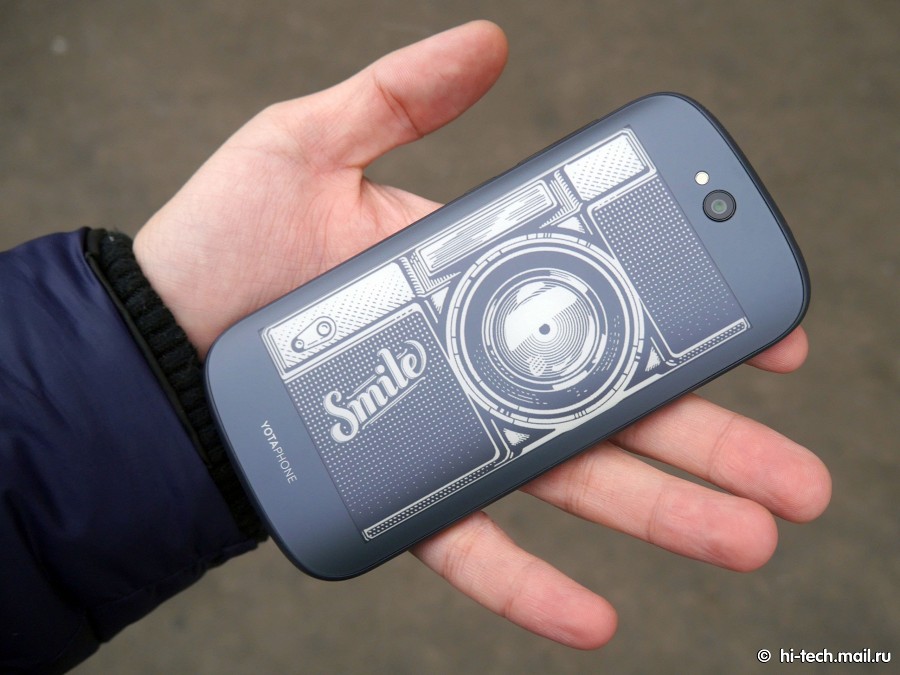
The company listened to the wishes of users and created a more conventional version, where it is not necessary to get used to the particular location of the camera.
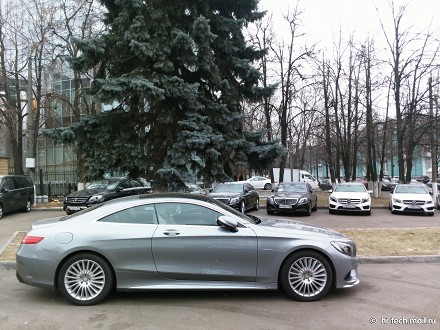
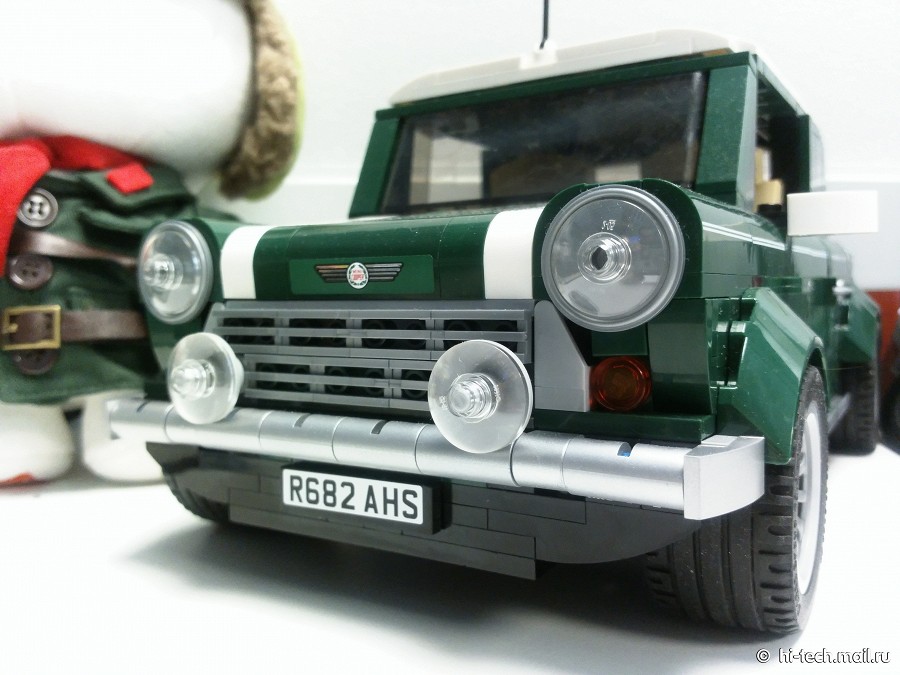
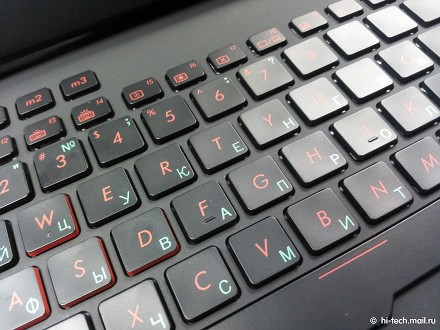
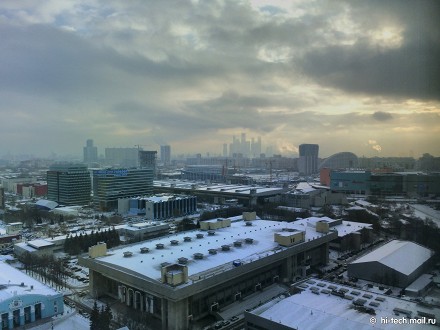
By the way, in the first YotaPhone camera shoots 13 megapixel resolution, while the second - 8 megapixels.There is a flash, there is 2.1 megapixel front camera. The survey results can be seen below. The camera is very average, in low light conditions is markedly reduced quality, noise appears, blurred areas of the image. In the afternoon or in the street situation will be better, but at the same time one can not ignore the gloomy gray-green color in the pictures. By the way, while shooting on the second screen shows the original image.Another advantage of the smartphone can be called full use of the secondary display when creating pictures when you can switch to it for self-portraits. It looks as shown in the example below.
 Sample photos

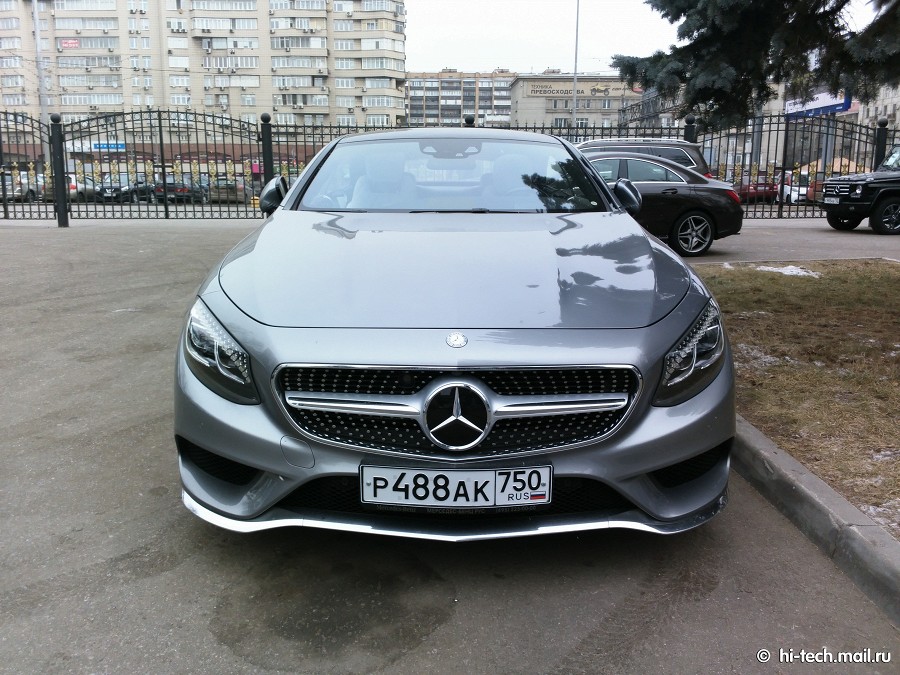
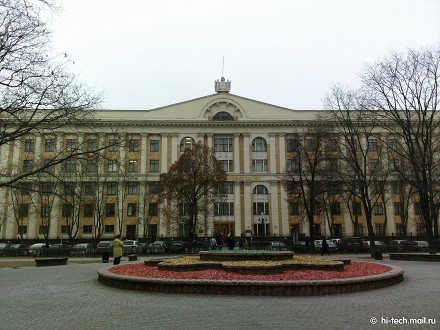
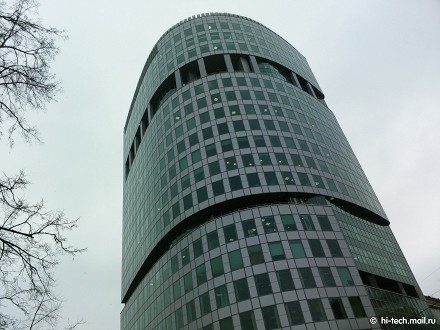
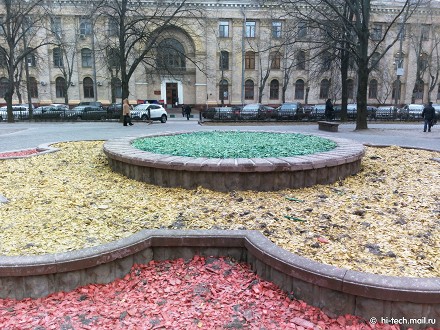


MUSIC
Built-in player can play files in various formats, including not only MP3 or AAC, and FLAC. Built-in music player base, the quality of the model is no better and no worse than many classmates. There is FM-radio, which recently can be found not in all vehicles.
OPINION HI-TECH.MAIL.RU
YotaPhone 2 will be available shortly after the presentation. Price will be 32 990 rubles. On the side of the smartphone mood of the audience: on the wave of patriotism certainly there are those who want to emphasize their attitude to what is happening and choose for themselves domestic development. For example, the head of Chechnya, Ramzan Kadyrov, in his Instagram proposed to abandon the iPhone and prefer YotaPhone 2. And now this - not just the tricolor on the body, lined with precious stones, engraved or dome, and more. At the very least, the idea itself smartphone with two screens was finished look and can be empirically assess the benefits of such an idea.
Treat YotaPhone 2 can be different, but it should be noted that the second generation has turned much more thoughtful and comfortable. Ergonomics usual smartphone combined with a curved display, which is ready to take on the role of the primary. But curious development is expensive, and thus the number of potential buyers will be much smaller. Still, the smartphone will be available at a price of champions, while offering even good, but not maximum performance for your money. And in the same segment play models such as the Samsung GALAXY Note 4, Huawei Mate 7 or Sony Xperia Z3. In any case, on the side of YotaPhone - the originality of the idea of performance, which became a symbol of the product. Two sides of the same coin now shine equally bright.
Pros:
Cons:
We award our YotaPhone 2 reward it deserves for its unique combination of two different types of touch screens in a single package.
------------------------------------Source: https://hi-tech.mail.ru
We award our YotaPhone 2 reward it deserves for its unique combination of two different types of touch screens in a single package.


